Buildo Creators · The app platform for robots

Build the apps
robots run on

It’s like building for iOS or Android — except your app runs on a real robot. Record the skills, ship to the Buildo App Store, and earn every time robot owners put your app to work. No code required.

Buildo Creators for iOS & Android · Coming soon

An app store for
the physical world

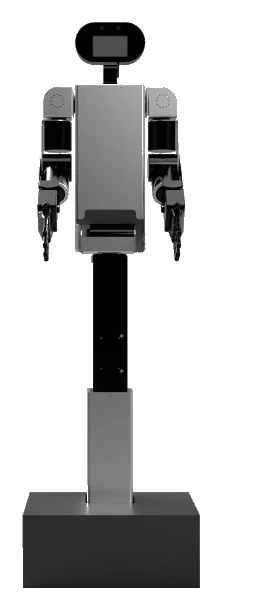
Phones became indispensable when developers started building apps for them. Robots are next. Buildo is a general-purpose robot for homes, shops, offices, warehouses and hospitals — and every new thing it can do is an app, built by a Creator.

Buildo Creators is your developer studio. Instead of writing code, you build by demonstration: put on the Creator Kit, perform the task, and your recordings become a robot app that ships to the Buildo App Store.

Built for every creator
  • No code - build by demonstration, not programming
  • Ship from your phone - record, bundle and publish in the app
  • Recurring revenue - earn whenever your app is used
  • Paid in USD - every reward is paid in US dollars

From idea
to App Store

  1. 01
    Get your dev kit

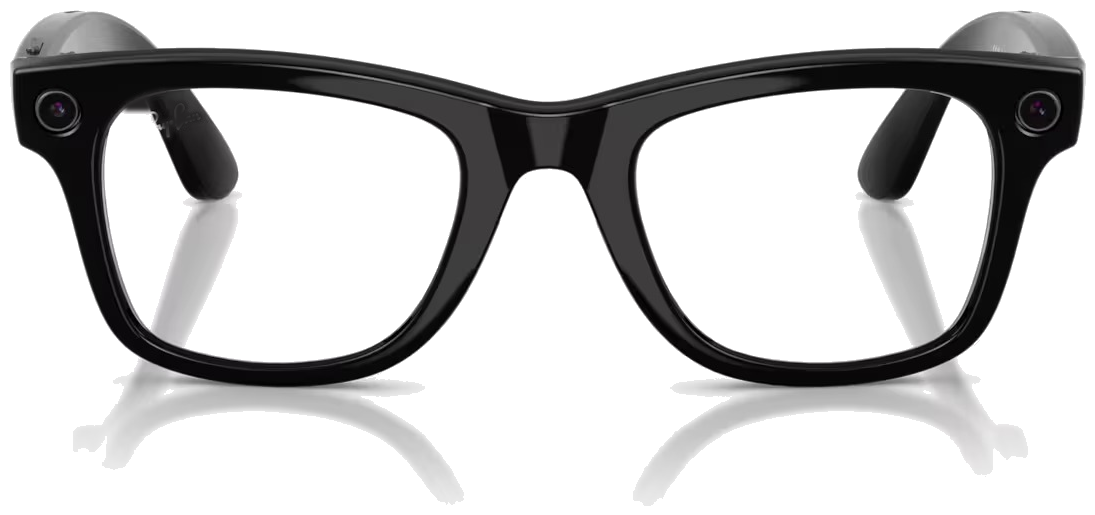
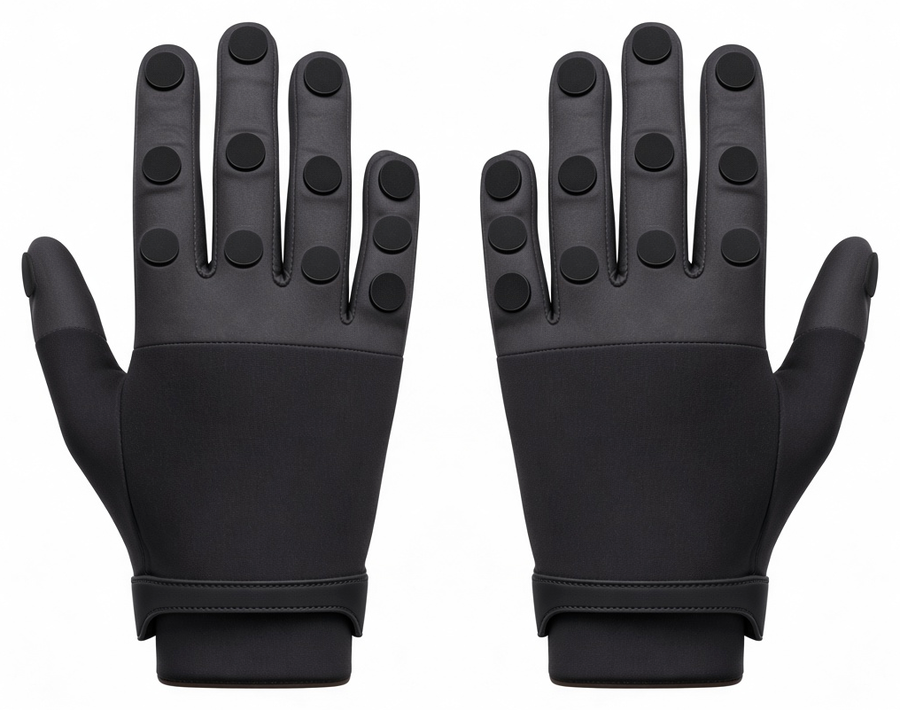
    Every platform has one. Yours is the Creator Kit — capture glasses and haptic gloves — ordered straight from your in-app wallet.

  2. 02
    Record skills

    Skills are your app’s features. Pick a use case, put on the kit and demonstrate each task while the app guides you.

  3. 03
    Build & ship

    Bundle your skills into a named app — say, “Home Helper” — and submit it. Automated testing certifies it for release.

  4. 04
    Earn as it’s used

    Your app goes live on the Buildo App Store. Every time robot owners use it to train their Buildo, you get paid.

Your studio,
in your pocket

Everything a Creator does happens in the Buildo Creators app — from choosing what to build to watching it go live.

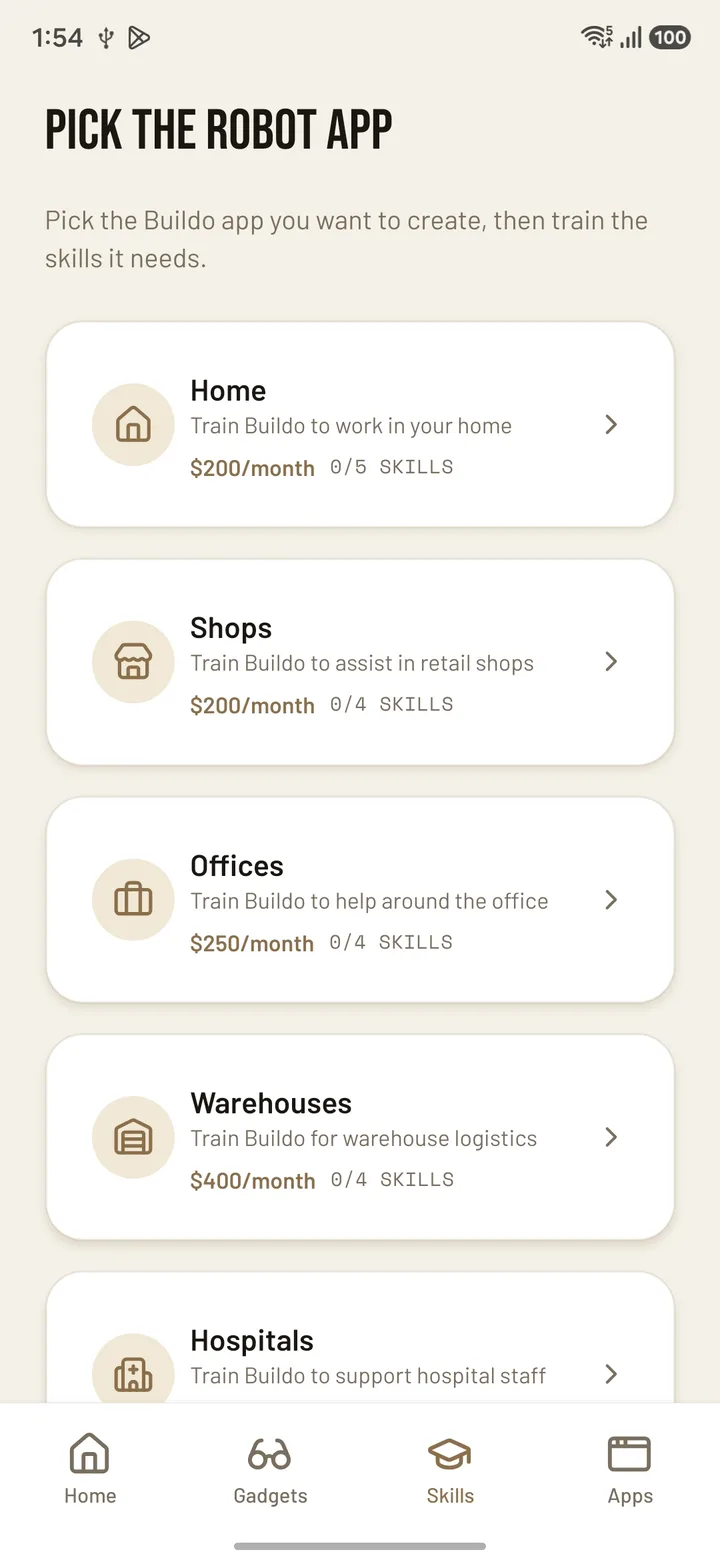
Buildo Creators app screen listing robot apps to build: Home, Shops, Offices, Warehouses and Hospitals
01

Pick the
robot app

Start with the app you want to create — for homes, shops, offices, warehouses or hospitals. Every category shows exactly which skills it takes to finish, so you always know how close you are to shipping.
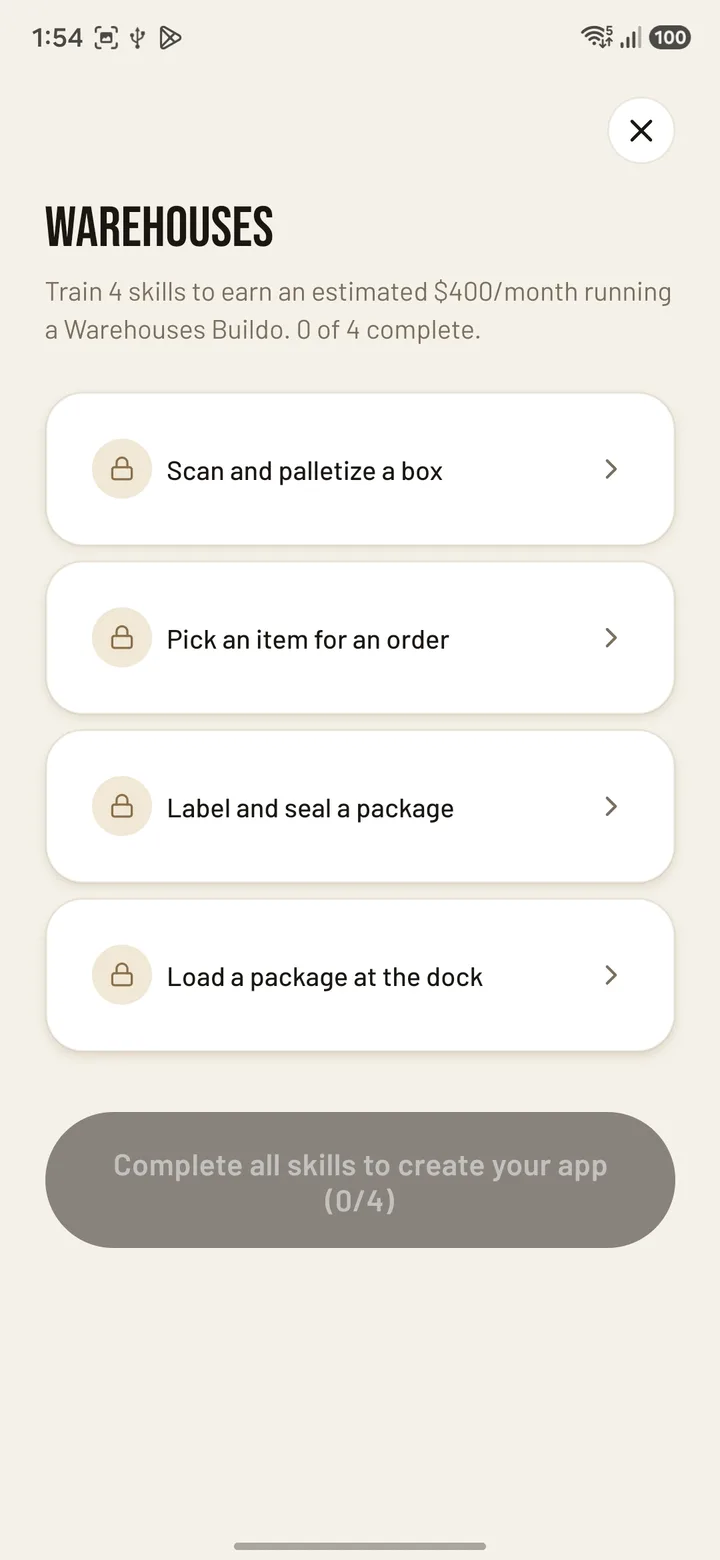
Buildo Creators app screen showing the four skills needed for a Warehouses app
02

Train every
skill

Each app is a short checklist of real tasks — scan and palletize a box, pick an item for an order, load a package at the dock. Put on the Creator Kit and record each one. Complete the list, and your app is ready to create.

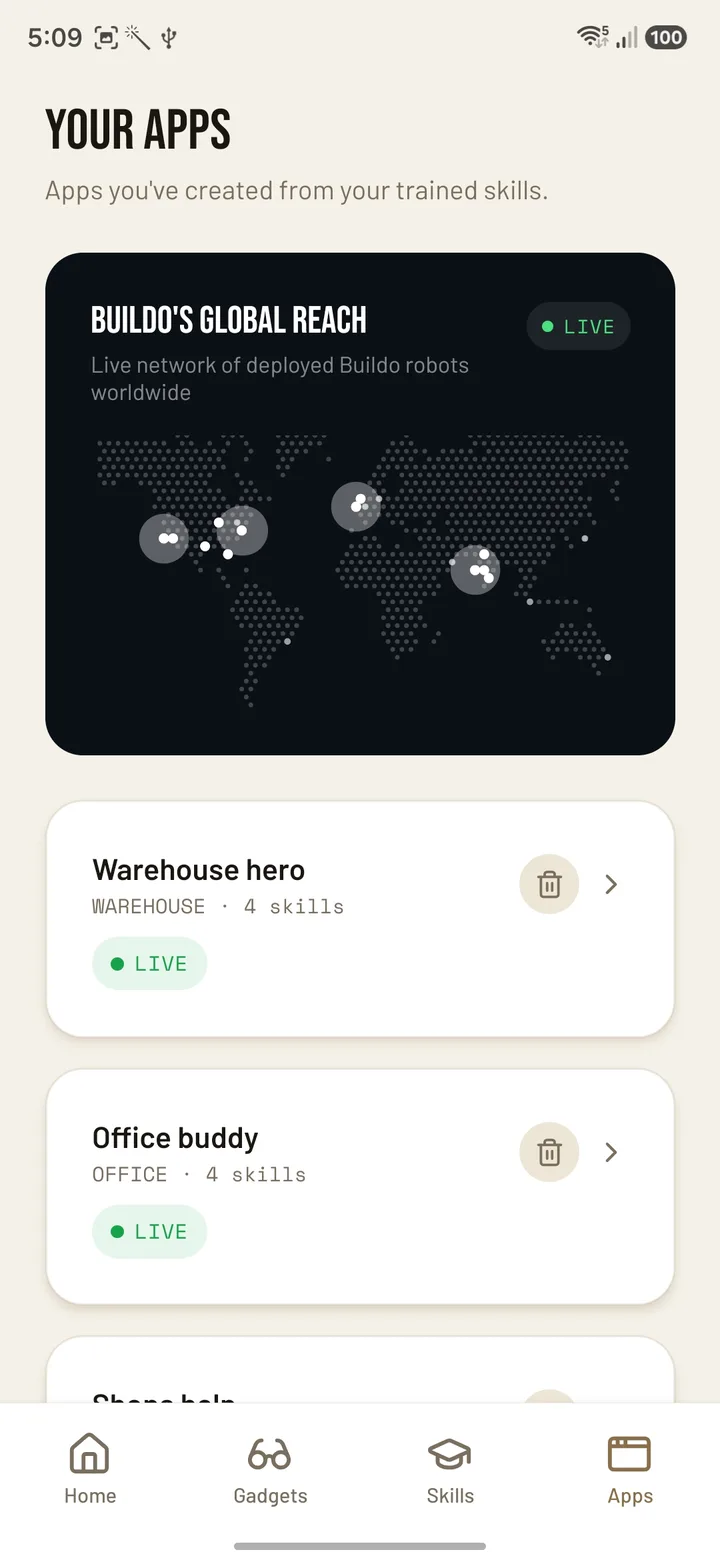
Buildo Creators app screen showing the Creator’s live apps and a map of Buildo robots worldwide
03

Watch your apps
go live

Your finished apps live in one place, each marked Live once it clears certification on the Buildo App Store. Right above them, a live map shows Buildo robots deployed around the world — the robots your apps run on.

Three ways
to earn

Ship once, get paid for as long as robots keep learning from your app — plus rewards for joining and for bringing new robot owners to Buildo.

Recurring revenue
Earn every time your app is used

When robot owners use your app to train their Buildo, you earn — again and again. Ship it once, and it keeps paying for as long as robots keep learning from it.

Welcome
Signup bonus

Join as a Creator and start with a bonus in your wallet — a head start before your first app ships.

Referral
Refer a robot buyer

Know someone who needs a Buildo? Refer them. When they buy a robot, you earn a reward — and they get a discount on their purchase.

Your developer
hardware

Every platform has its dev kit — this is Buildo’s. Capture glasses and haptic gloves turn your demonstrations into robot-ready skills. One-time purchase from your in-app wallet, with buy-now, pay-later.

Buildo egocentric capture glasses
Point of view
Capture glasses

An eye-level camera records exactly what you see while you work, so the robot learns the task from the same viewpoint it will perform it from.

Buildo haptic teleoperation gloves
Hand tracking
Haptic gloves

The gloves track every hand and finger movement during the task — the fine detail a robot needs to grip, fold and place things the way you do.

Full hardware specifications →

Endless apps.

Pick a category, build its skills, ship your app. Each category lists the skills a complete Buildo app needs for that setting — finish them all and your app is ready to publish.

01
Home
  • Load the dishwasher
  • Fold laundry
  • Water plants
02
Shops
  • Restock shelves
  • Face products
  • Bag purchases
03
Offices
  • Sort mail
  • Tidy desks
  • Organise supplies
04
Warehouses
  • Pick items
  • Pack boxes
  • Stack totes
05
Hospitals
  • Fetch supplies
  • Make beds
  • Deliver trays

Ship to the
Buildo App Store

Every certified Creator app is listed publicly on the Buildo App Store — the marketplace robot owners use to find new skills for their Buildo.

Creator apps are already live across all five categories. Yours joins them the moment it clears certification.

  1. Creator Builds the app from recorded skills and submits it
  2. App Store Tests and certifies the app, then publishes it
  3. Robot owner Uses the app to train their Buildo — and the Creator gets paid

Your users are
everywhere

Buildo robots are working around the world, with the biggest fleets in the United States, the United Kingdom and India — every one of them a potential user of your app.

United States
Homes, shops and offices
United Kingdom
Homes and retail
India
Warehouses and hospitals

Start building
for robots

Buildo Creators is launching on iOS and Android. Get in touch now for early access — and be one of the first Creators to ship an app to the Buildo App Store.

Coming soon App StoreComing soon Google Play

Questions,
answered

Anything else? Email contact@starforgerobotics.com.

Do I need to know how to code?

No. Creators build apps by demonstration, not programming. If you can do everyday tasks like cleaning, cooking or organising, you can build for Buildo — the app guides you through every step.

Do I have to buy the Creator Kit?

Yes. The glasses and gloves are your development hardware — they capture the skills your app is built from. It’s a one-time purchase from your in-app wallet, with a buy-now, pay-later option.

How do I earn?

Three ways: rewards every time robot owners use your app to train their Buildo, a signup bonus when you join, and referral rewards when someone you refer buys a robot. Everything is paid in US dollars, and current rates are shown in the app.

How does the referral program work?

Refer anyone who wants a Buildo robot. When they buy one, you earn a reward and they get a discount on their purchase.

What happens when I submit my app?

It goes through an automated testing and certification window. Once it passes, it’s published on the Buildo App Store, where robot owners can find it and start using it.

Who uses the apps I build?

Owners of Buildo robots. They browse the Buildo App Store and use Creator apps to train their robots for new tasks — and every time they do, the Creator behind the app earns.